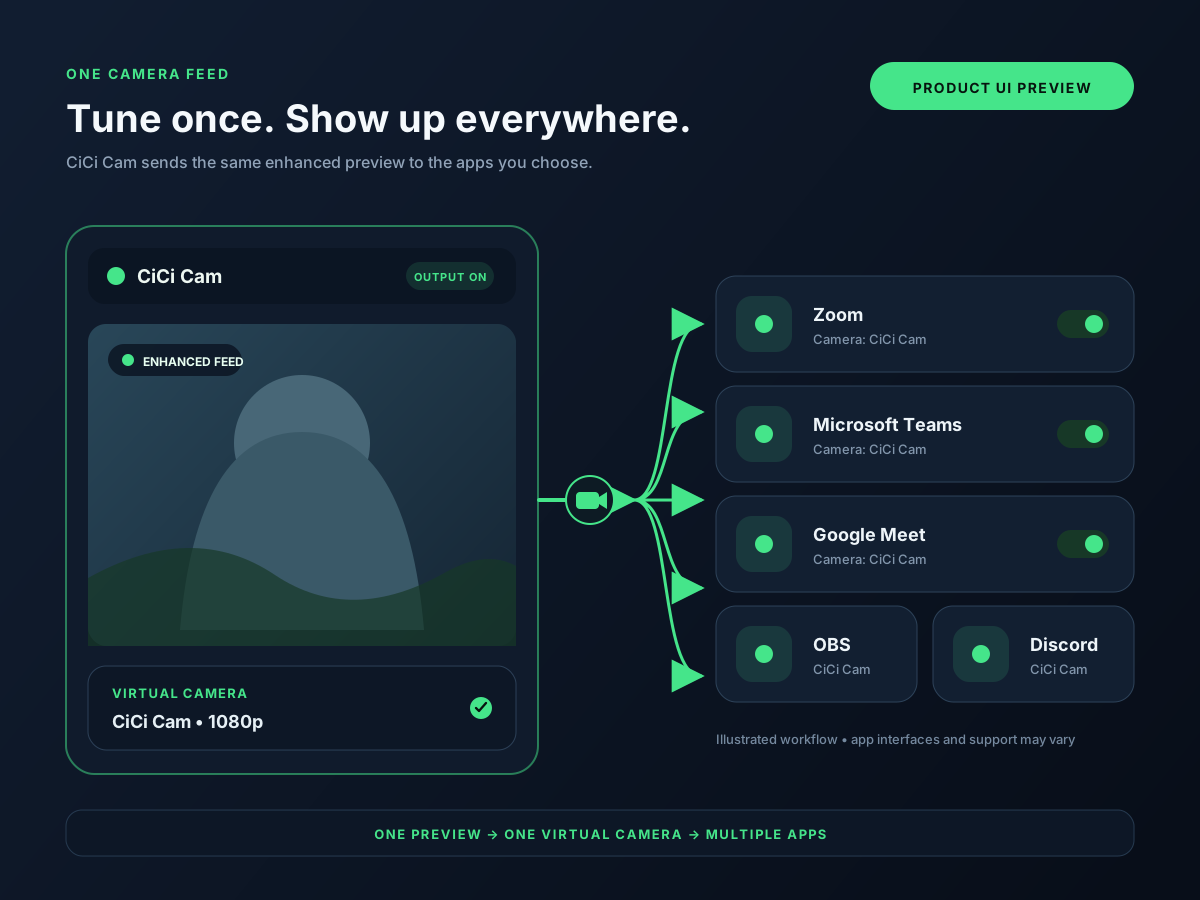
| CiCi Cam | Natural skin, makeup, face-shape, lighting, and color controls | Physical webcam → beauty-processed camera feed | Windows 10/11 x64; macOS 14+ on Apple Silicon | All features free; daily time limit and watermark | Focused on appearance rather than multi-scene production, phone capture, or a large AR library |
|---|
| OBS Studio | Free scene composition, sources, overlays, and streaming workflows | Camera, screen and media sources → composed scene or selected source | Windows 10/11; macOS 13+; Linux | Free and open source | Powerful production interface but no native beauty or makeup workflow |
|---|
| ManyCam | Presentations, multiple sources, backgrounds, and live-video layouts | Camera and other video sources → presentation or video layout | Windows and macOS; check requirements for your release | Free download; paid plans remove the logo and unlock more features | Capabilities and output limits vary by plan; broader interface than a focused camera enhancer |
|---|
| Camo | Using a phone, webcam, DSLR, or connected camera with manual image controls | Phone or connected camera → camera image with manual controls | Windows 10+; macOS 12.3+ | Free at 720p or below; Pro unlocks 1080p and 4K | Free and Pro capabilities differ; phone workflows also depend on the mobile device and connection |
|---|
| NVIDIA Broadcast | AI noise removal, background effects, auto framing, and video cleanup | Supported camera input → video with selected AI effects | Windows 10 64-bit; GeForce RTX 2060 or eligible Quadro/TITAN RTX and newer | Free download; requires a supported RTX GPU | Requires eligible RTX hardware and is not a general scene compositor or dedicated beauty tool |
|---|