How to Look Better on Webcam
Quick answer
Most “look better on webcam” advice is generic — buy a ring light, get a better camera. Real improvement comes from fixing four specific things in order: framing, lighting, skin and tone, and a steady beauty preset you can wear all day. Here's the practical version.


Windows 10/11 · macOS 14+ on Apple Silicon · Virtual-camera support can vary by app or device policy
Why the default setup falls short
Your camera is fine — the image isn't
Even a 1080p built-in webcam can look great with the right lighting and processing. Hardware upgrades only solve a small slice of what makes you look tired on calls.
Default app filters don't compose
Zoom's touch-up, Meet's effects, and Teams' background blur each behave differently. You end up looking inconsistent across apps because each one applies its own light fix.
Lighting changes through the day
Window light at 9 AM is not window light at 4 PM. Your morning look stops working by afternoon, and you can't keep tuning between meetings.
How the setup works
- 1
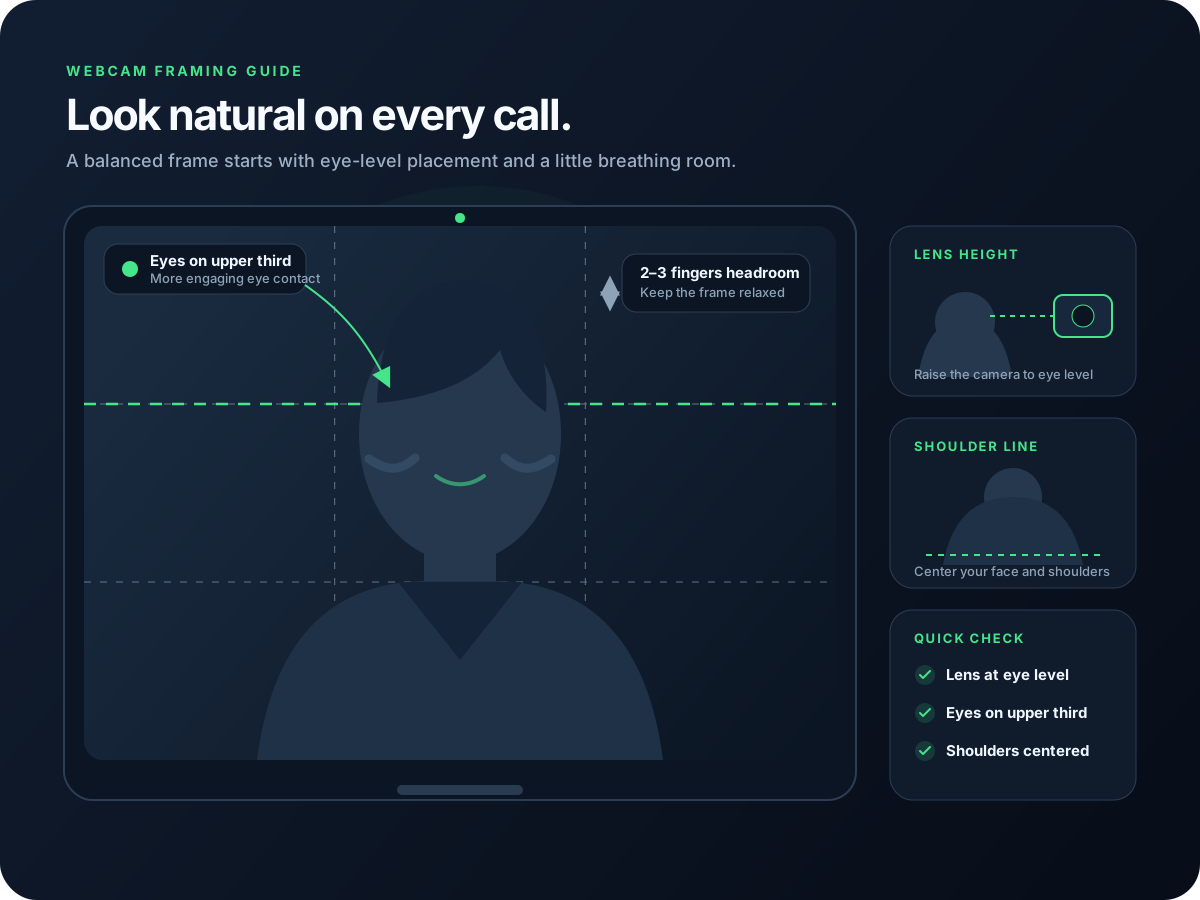
Get framing right first
Camera at eye level or slightly above. Top of your head near the top edge of the frame. Shoulders visible. This single change makes most webcams look more professional immediately.
- 2
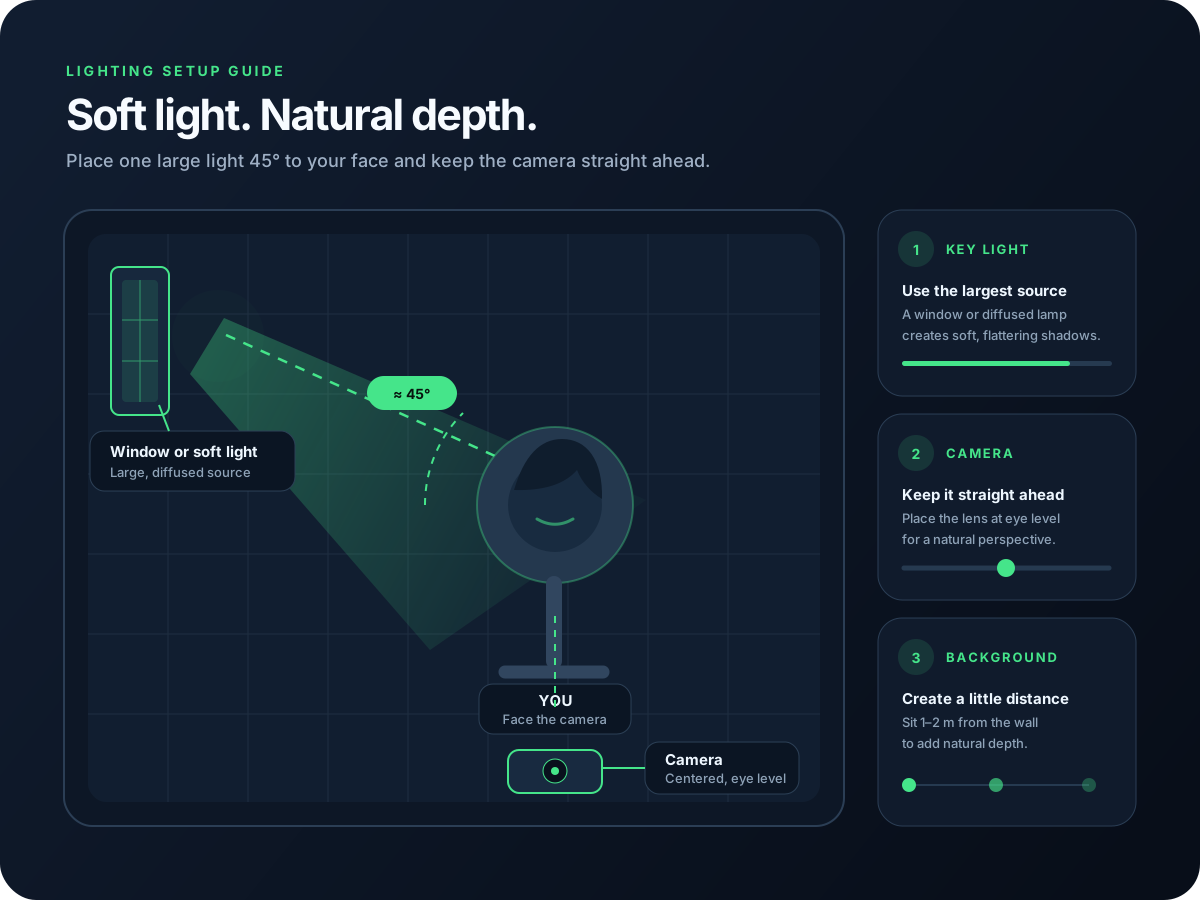
Light your face before you adjust beauty
A soft light in front of your face — daylight from a window, a desk lamp bounced off a wall, a small key light — beats any beauty filter applied to a dark face.
- 3
Use a virtual camera with a real beauty pipeline
A virtual camera like CiCi Cam processes your webcam image before your video app receives it. Start with modest smoothing, facial lighting and subtle makeup, then select the result in each compatible app.
- 4
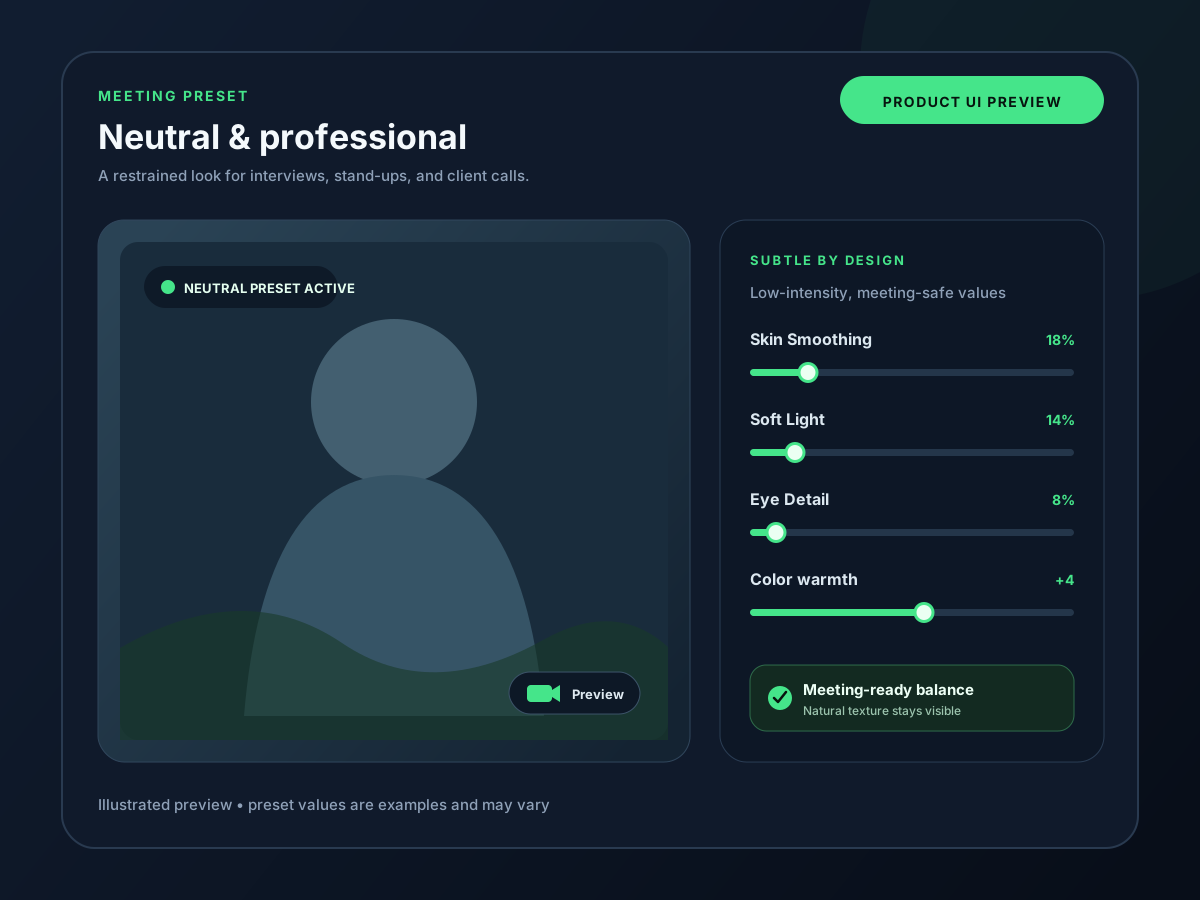
Save a daily preset and forget it
Build one balanced “meeting” look, save it, and stop tweaking. The point is a face that looks like you on every call — not a different filter every day.
See it in your workflow
Setup visuals and product previews
What CiCi Cam includes
Skin and tone
Smoothing and whitening as separate controls — keep texture, lift brightness.
Facial soft light
Adjust facial brightness after improving your room lighting. Software can refine the image, but it cannot replace adequate light on your face.
Light makeup
Lashes, blush, lipstick, and subtle contour tuned to look like real morning makeup.
Filters that don't fight your face
Curated looks that sit on top of the beauty stack instead of overwriting it.
Last reviewed:
Frequently asked questions
Do I need to buy a new webcam to look better?
Will a beauty filter make me look fake?
Does this work for low-light night calls?
Does it work the same way on Zoom, Teams, and Google Meet?
How long does it take to set up a good preset?
Try CiCi Cam free
Install on Windows or Mac, build your preset, and use it in every video app.
Download CiCi Cam Free